
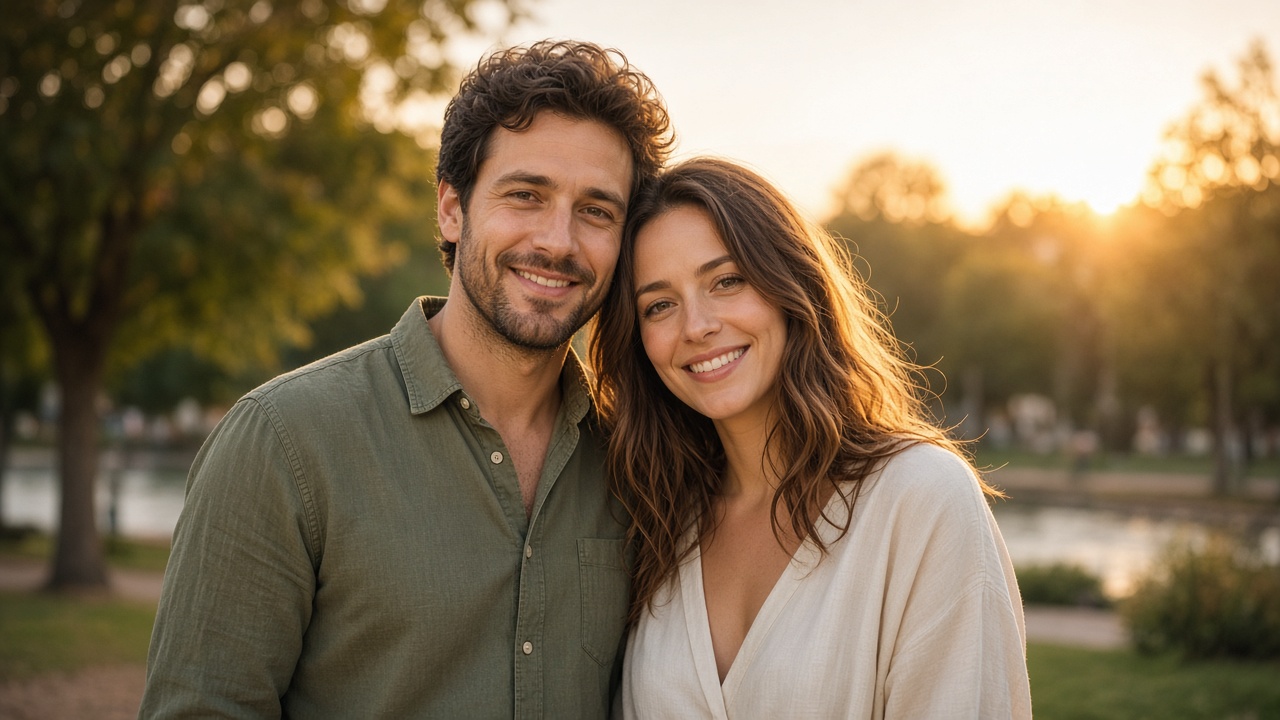
A couple photo captures a moment, but what if you could make that moment move?
With an AI image to video generator, you can upload a photo of two people and turn it into a short video. The couple might smile at each other, gently turn their heads, or share a warm hug. You can even add subtle camera movement to make the result feel more like a real video.
You do not need to record a new video or learn complicated editing skills. You only need a suitable photo and a clear description of what you want the two people to do.
In this guide, you will learn how to turn a couple photo into a video, explore different animation ideas, and find prompts you can use for your own images.
What Can You Make from a Couple Photo?
There are several ways to animate a photo of two people. The best choice depends on the original picture and the kind of interaction you want to create.
Make two people smile at each other If the original photo shows two people standing or sitting together, you can ask the AI to add gentle smiles and natural eye contact. This is a good starting point because the movement is small and does not require major changes to their positions.
Create a gentle hug A photo of two people standing close together can be used to create a short hugging scene. You can describe a gentle movement where they turn slightly toward each other and share a warm embrace.
Make a romantic couple video For a wedding or romantic couple photo, you can add soft lighting, a gentle camera movement, and a natural interaction between the two people.
Animate an old couple picture An older photo of two people can also become a moving video. You can keep the original clothing and background while adding small movements, such as smiling or looking at each other.
Create a fun video with friends Not every couple photo has to be romantic. You can also animate a picture of two friends laughing, waving, or turning toward the camera.
How to Turn a Couple Photo into a Video with AI
The process is simple, but the original image and your prompt both matter.
Step 1: Choose a Suitable Couple Photo
Start with a photo where both people are clearly visible.
Images work better when the two people are not heavily covered by other objects and their faces can be seen clearly.
Good choices include:
- A couple standing next to each other.
- Two people sitting together.
- A wedding or engagement photo.
- A holiday picture with both people facing the camera.
- An old photograph of two people together.
Try to avoid images where one person's face is hidden or the two people are positioned too far apart if you want them to interact.
Step 2: Upload the Photo to an AI Image to Video Generator
Open an AI video generator that supports image-to-video creation.
Upload your couple photo as the starting image. If the tool offers different video sizes, choose a format based on where you plan to share the result.
For example, a vertical format is suitable for TikTok and Instagram Reels, while a horizontal format may work better for sharing on a computer or displaying on a larger screen.
Step 3: Describe What the Two People Should Do
This is the most important part.
Instead of writing something vague like "Make this photo move," describe the exact interaction you want.
For example:
This gives the AI a clearer idea of what should happen while helping it preserve the original picture.
Step 4: Generate the Video
Start generating the video and wait for the result.
Watch how the two people move. Check whether their faces still look like the original photo and whether their interaction feels natural.
If the movement looks strange, try a simpler prompt. For example, ask them to smile instead of creating a complicated hug or changing their positions.
Step 5: Save and Share Your Video
Once you are happy with the result, download the video.
You can share it with your partner, send it to friends, or post it on social media. If the photo is personal, make sure you have permission from the other person before uploading or sharing it.
5 Couple Photo to Video AI Prompts You Can Try
You do not need to write complicated instructions. Here are five prompts for different couple photo styles.
Make Two People Smile at Each Other
This is a good choice for a simple portrait where both people are already standing close together.
Create a Gentle Hug
Use this prompt when the two people are already standing close enough for a natural embrace.
Make a Romantic Couple Video
This works well for engagement photos, wedding pictures, or romantic portraits.
Make Two People Laugh Together
This is suitable for casual photos with friends or couples.
Animate an Old Couple Photo
If you have an older picture, a gentle animation may be more suitable than a dramatic movement.
How to Keep Both People Looking Like the Original Photo
One of the biggest challenges with couple photo animation is keeping both people recognizable.
An AI video generator creates new frames based on the original image. During this process, small details can change, especially when two people move close together or interact.
Here are some ways to get more consistent results.
Keep the movement simple A gentle smile or a small head turn is usually easier to generate than a complicated interaction. Start with simple movements before trying a hug or other physical contact.
Describe both people clearly Instead of saying "Make them move," explain what each person should do.
For example, you can ask the person on the left to turn toward the person on the right while the other person smiles.
Ask the AI to preserve facial features Include instructions such as "Keep both people's original facial features and identities unchanged." This does not guarantee perfect results, but it makes your intention clearer.
Avoid changing the original setting If you want the final video to look like the same moment, ask the AI to preserve the background, clothing, and overall composition.
Check the faces throughout the video Do not only look at the first frame. Watch the entire clip to see whether facial details change as the people move.
Why Does My AI Couple Video Look Unnatural?
Sometimes the generated video does not match what you imagined. Here are a few common problems.
The faces look different This can happen when the AI generates larger movements or changes the angle of a person's face. Try a smaller movement and use a clear instruction to preserve both identities.
The two people move in strange ways When two people interact, their arms, hands, and body positions can become distorted. Avoid complicated actions in your first attempt. A gentle smile or head turn is easier to control.
Only one person moves If one person stays completely still, make your prompt more specific. Describe a separate action for each person instead of using a general instruction.
The video changes the clothing Add a clear instruction to preserve the original outfits, including colors, patterns, and accessories. Avoid asking for a new fashion style or scene if you want to keep the original photo.
The result looks too animated Try reducing the amount of movement. Natural facial expressions and small body movements often look better than exaggerated actions.
What Types of Couple Photos Work Best?
The best photo depends on the video you want to create.
- Wedding photos: Good for romantic smiles, gentle embraces, and cinematic effects.
- Travel photos: Suitable for looking at each other, laughing, or enjoying the scenery.
- Casual couple selfies: Good for small facial movements and natural expressions.
- Old family photos: Better suited to gentle animation that preserves the original appearance.
- Friendship photos: Can be used for smiling, waving, or laughing together.
A clear photo with both faces visible is a good starting point. If the two people are already close together, you may also have more options for creating natural interactions.
Bring Your Couple Photo to Life
You do not need a complicated scene to create an interesting couple video. Sometimes, a small smile or a gentle look between two people is enough to make a still photo feel different.
Start with a clear picture, choose one simple action, and tell the AI exactly how both people should move.
If the first result does not look natural, adjust the prompt rather than adding more effects. Keeping the original faces and making the movement subtle will usually give you a better starting point.